The management system for tennis and padel clubs
Less Excel. Less chat. Less chaos.
Trainysta brings together everything you need to run your club in one system: bookings, members, staff, payments, documents and communications.
Your team works better.
Your customers do more on their own.
You always stay in control of what is happening.
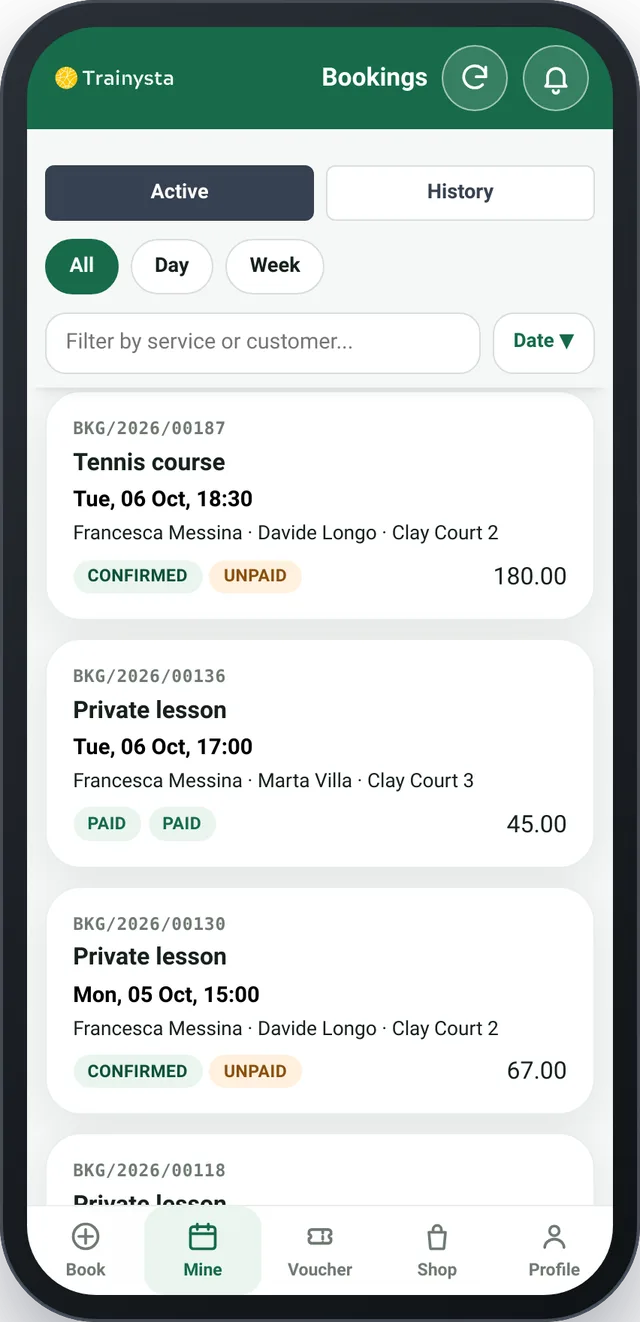
The whole club, in one place
Running a club means coordinating courts, lessons, instructors, members, payments and requests every day. When every activity goes through a different tool, even simple things become complicated.
Trainysta connects everything in a single workflow.
Bookings.
Courts, lessons and courses managed from the app and the back office.
Members and front office
Registrations, categories and history in a single flow.
Certificates and documents
Always on file, valid or expired: you see it at a glance.
Payments.
What has been paid, how and by whom.
WhatsApp.
The first requests get an automatic reply.
Notifications
Confirmations and reminders go out automatically.
Fewer manual steps.
Less information to hunt for.
More time for your club.
See the app in action
Screens from the Trainysta app and back office, with sample data.
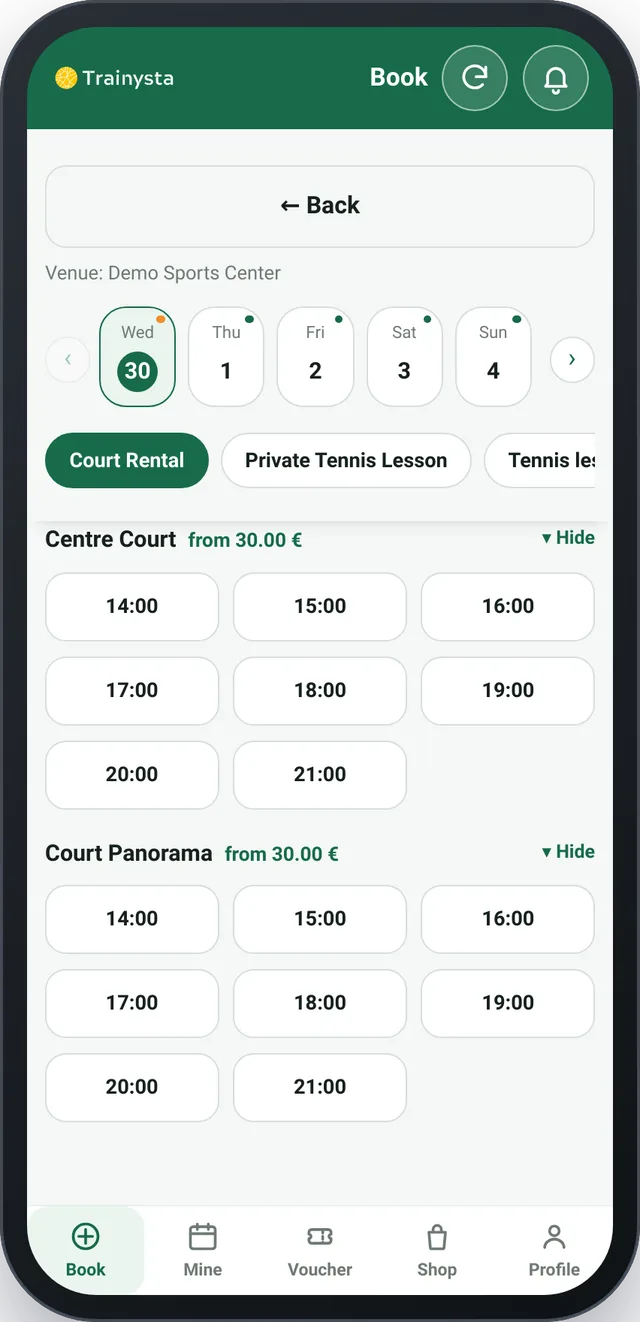
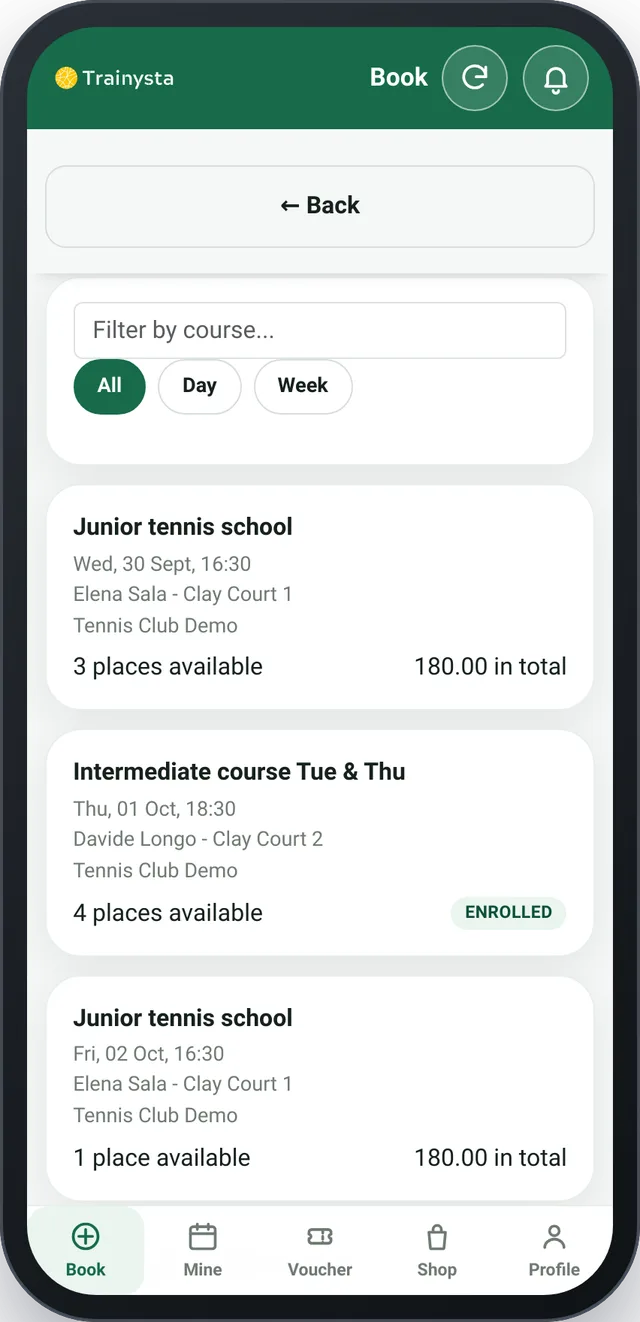
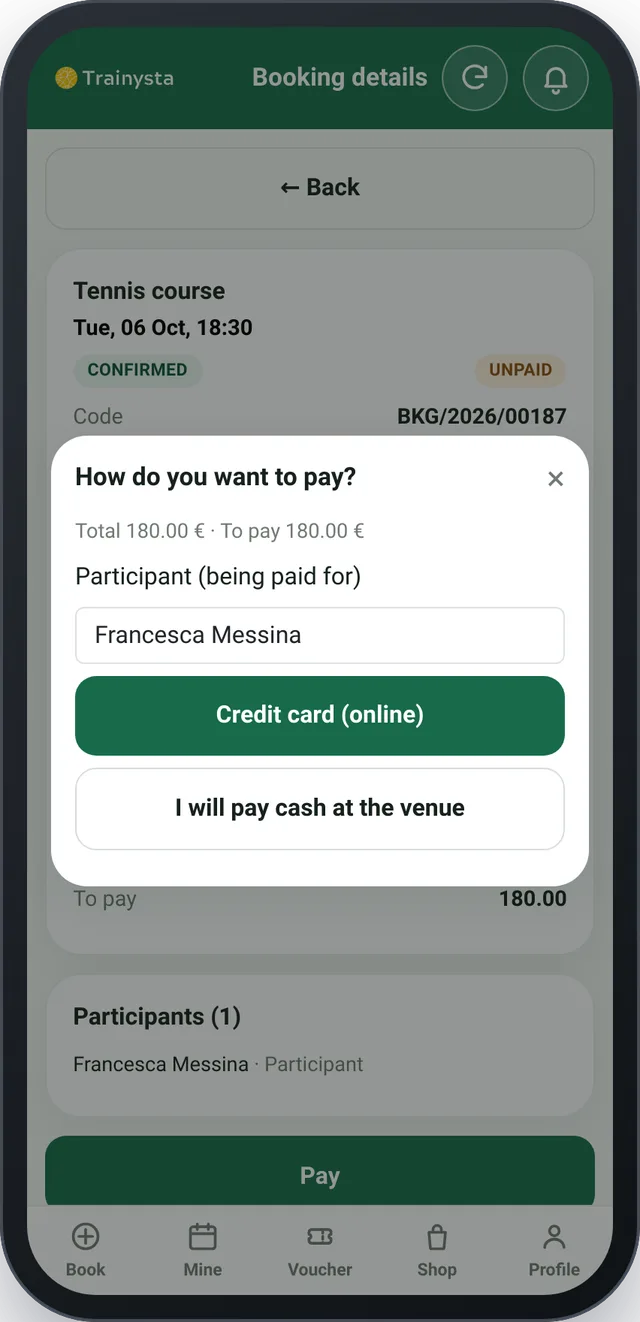
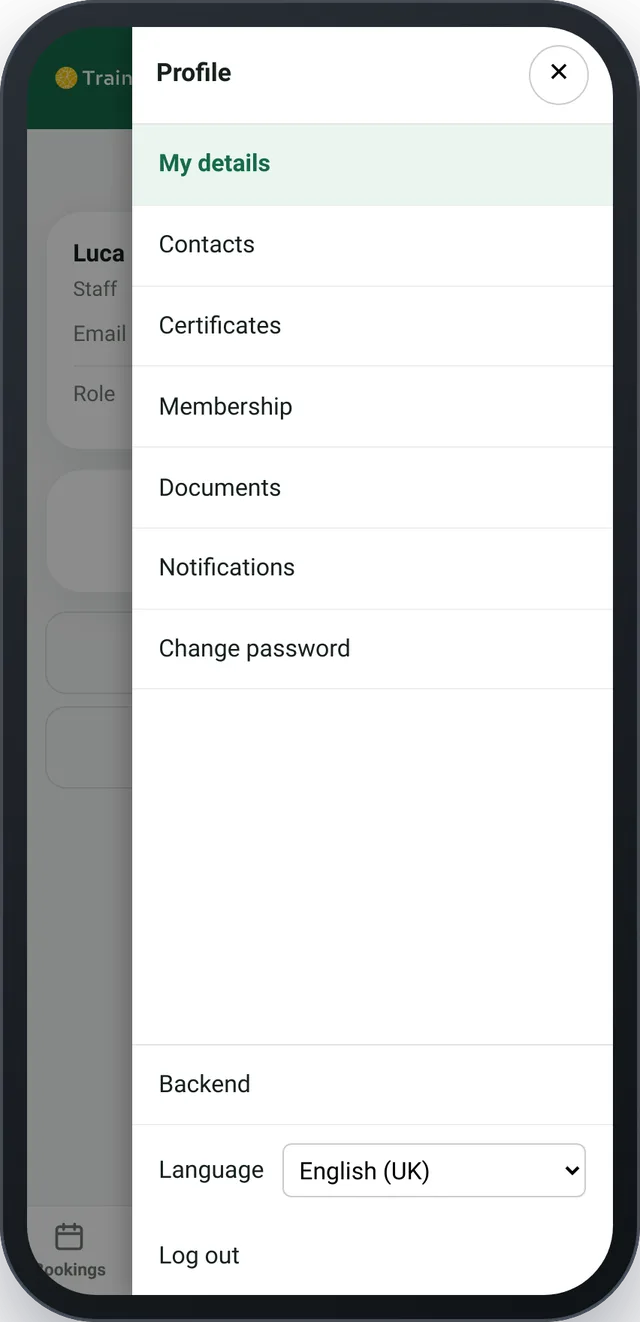
Bookings without chasing messages and calendars
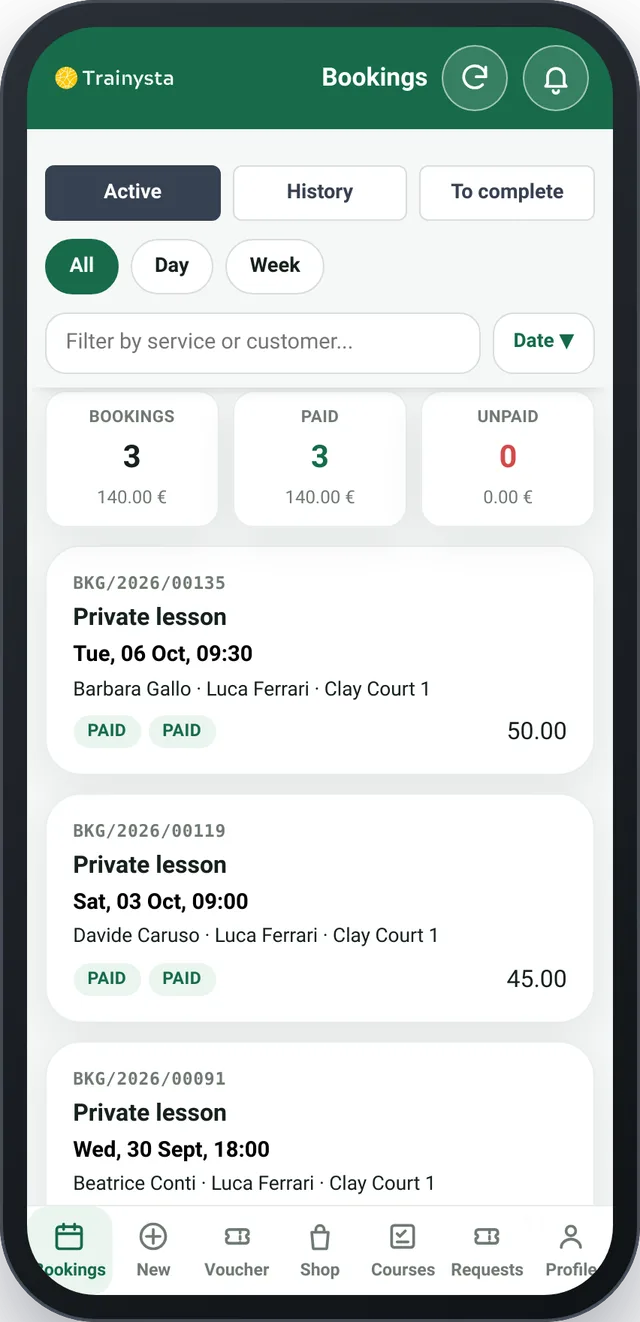
Courts, lessons and courses are the heart of daily operations. With Trainysta you can manage bookings from the app or get a complete view of the day and the week from the back office.
The staff can:
- create bookings on behalf of customers
- change the date and time
- add or remove participants
- cancel or reactivate a booking
- record payments
- block courts or resources when they are not available
And the customer can book directly from the app.
Fewer phone calls. Fewer messages. Less manual work.
The customer books. The staff stays in control.
Members can see their own bookings, check their history and choose how to pay. Your team keeps a complete view of the activity and can step in when needed.
This way simple operations are handled autonomously, while the staff focuses on exceptions and on the activities that really need attention.
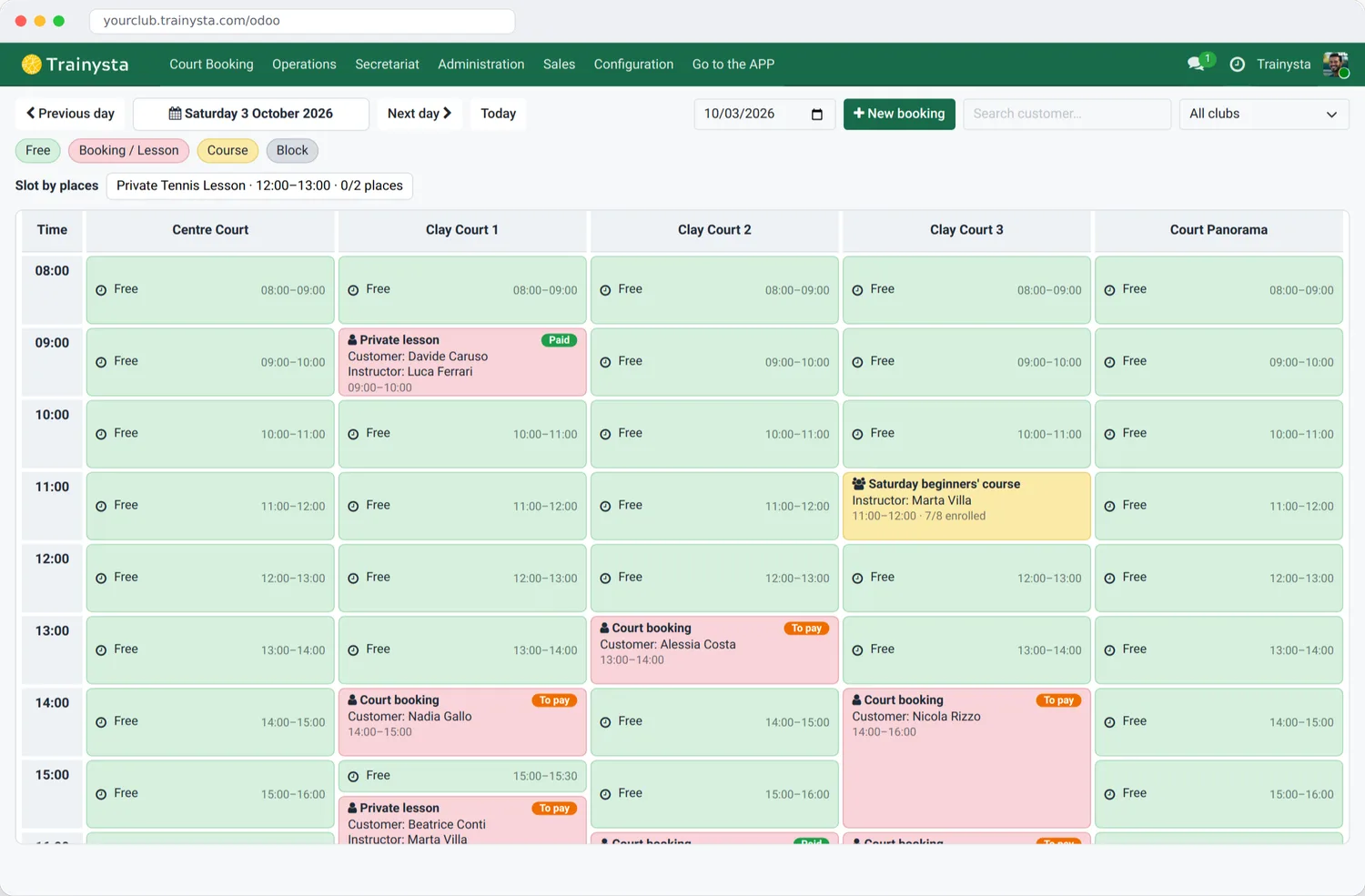
Courses with enrolment and roll call
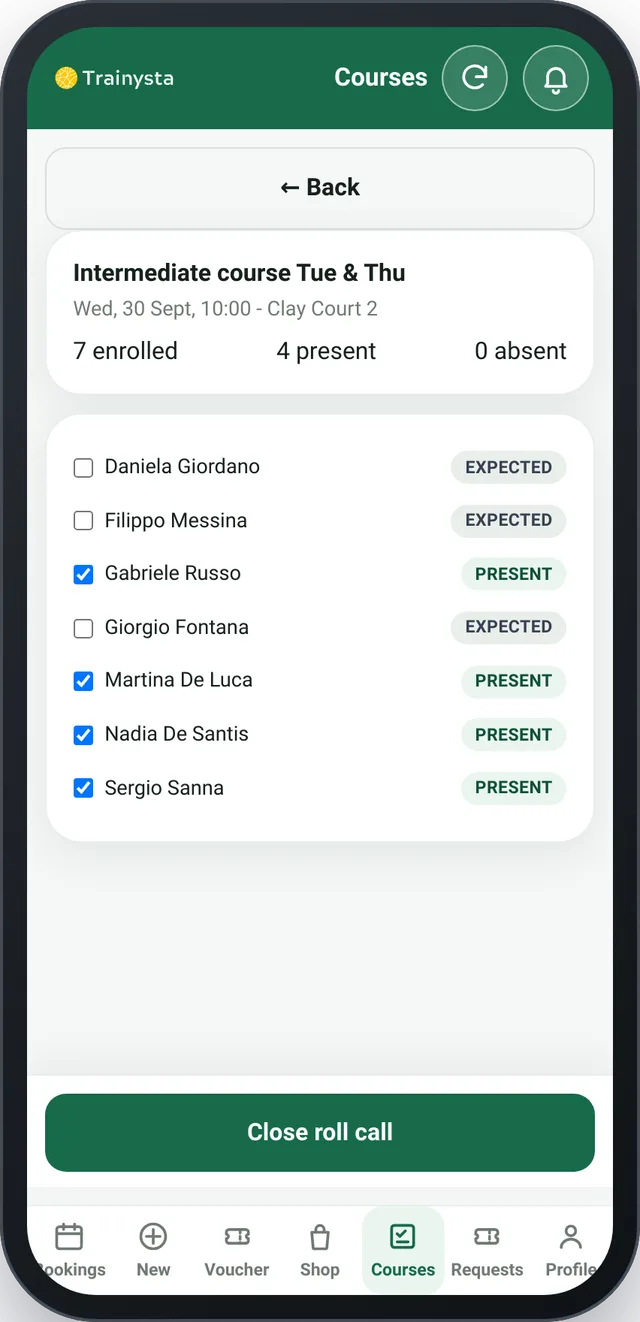
Members see the scheduled course sessions, filter by course, day or week and enrol from the app. With full-course payment they are enrolled in all sessions, including those added later.
The instructor opens the session, finds the enrolled participants and marks attendance with one tap.
An organised staff, without confusion
Not everyone on the team needs to see or do the same things. Trainysta manages different roles and permissions for reception, instructors and managers.
Reception
Handles daily operations: bookings, payments and the schedule.
Instructors
They can work on bookings and handle requests, memberships and members' documents.
Manager
Has full control, including configuration, services, resources, payments and club settings.
Everyone sees what they need.
Everyone can do what they are responsible for.
Members and front office, finally in the same flow
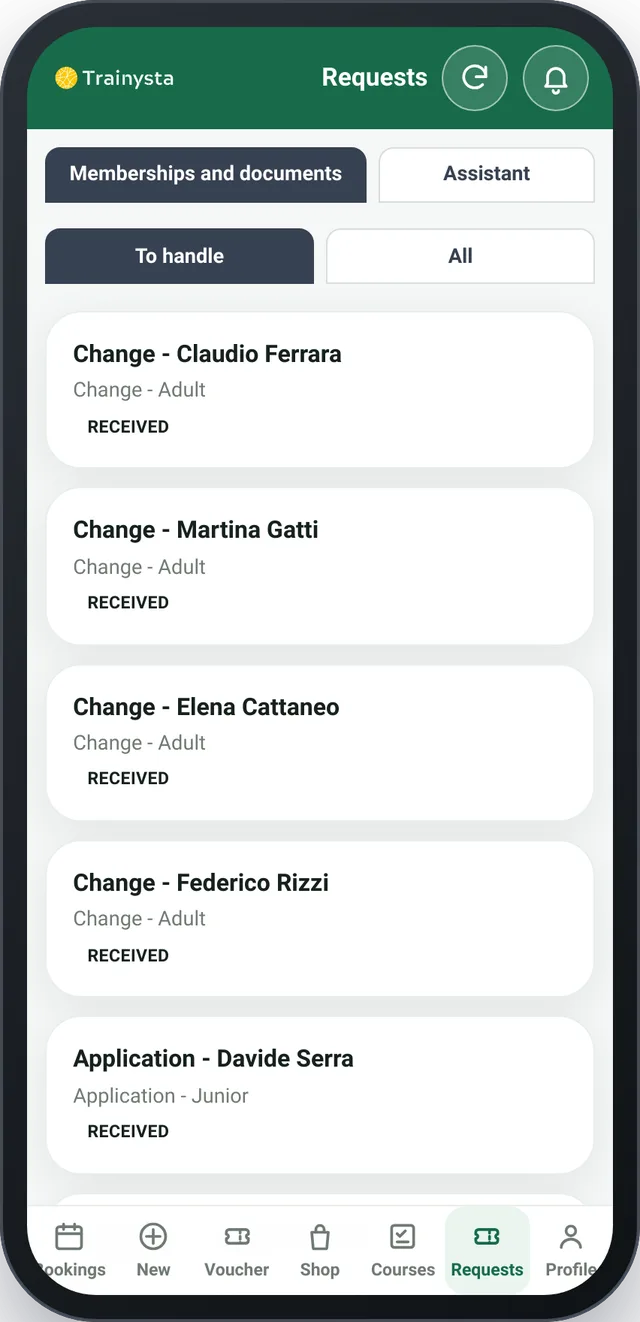
A new registration should not turn into an endless exchange of emails, forms and messages. Members can send their application directly from the app.
The staff can:
- approve or reject a request
- manage registrations and changes
- check medical certificates
- verify documents and waivers
- review the member's history
Member categories can be assigned automatically based on age.
Less manual paperwork. More order in the front office.
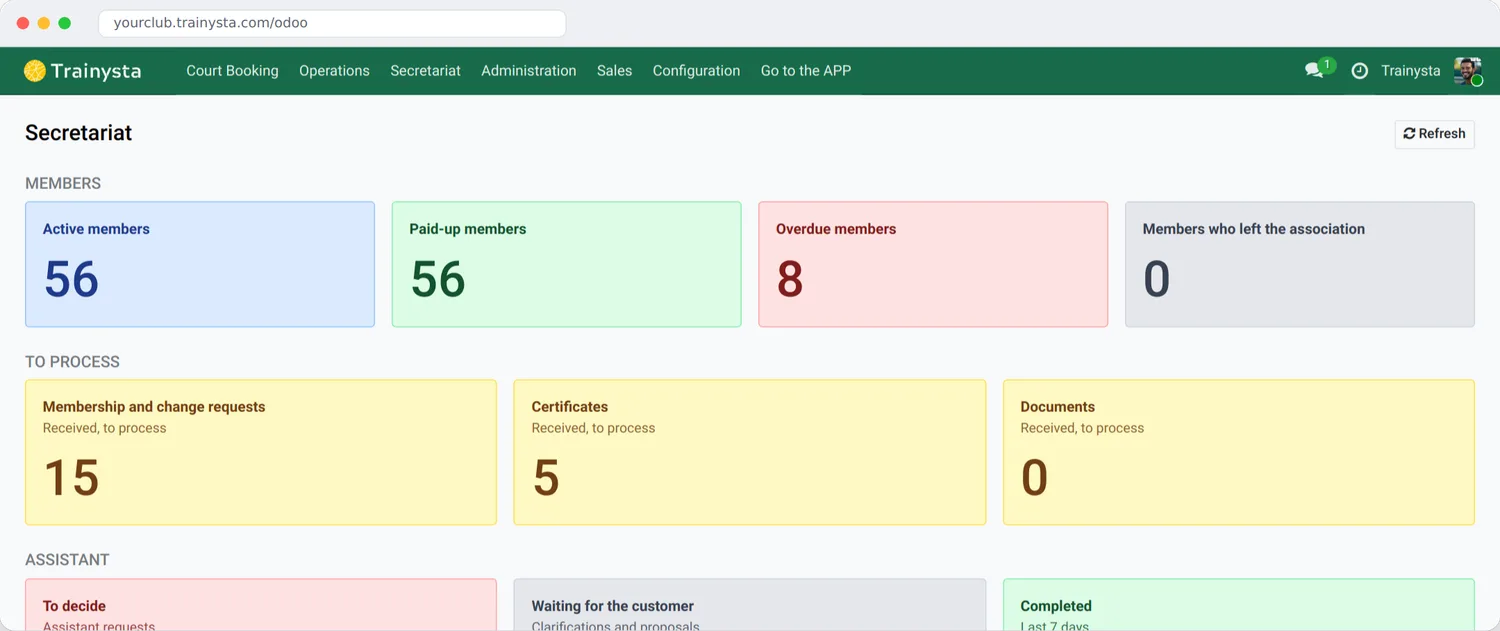
Certificates and documents always under control
Knowing whether a certificate is on file, valid or expired should not require searching through folders, emails and messages.
With Trainysta the staff can review the history of certificates and documents uploaded by members. When needed, they can also handle exceptions directly from the booking.
Important information stays linked to the person and the activity it belongs to.
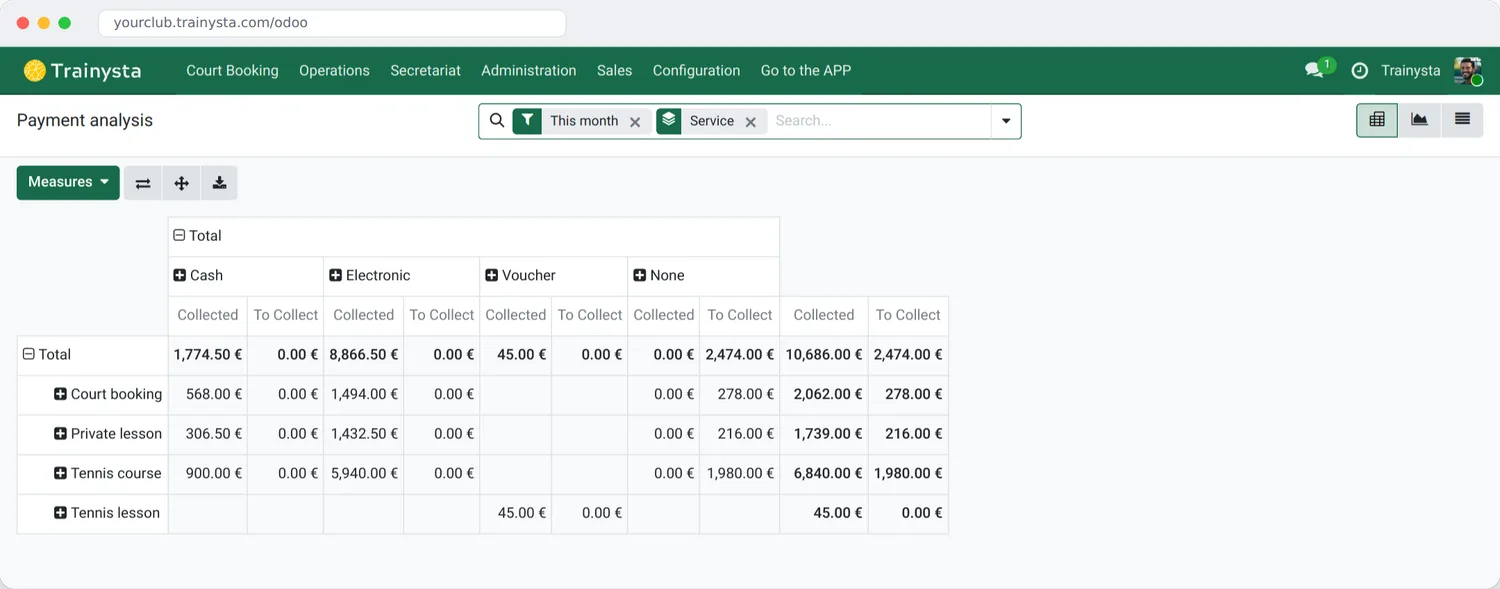
Payments linked to activities
With Trainysta you can see what has been paid, how and by whom. Customers can use different payment methods for bookings:
The staff can record payments directly in the system and review the payments report.
The result? Fewer manual checks and a clearer picture.
From payment to order, without leaving the app
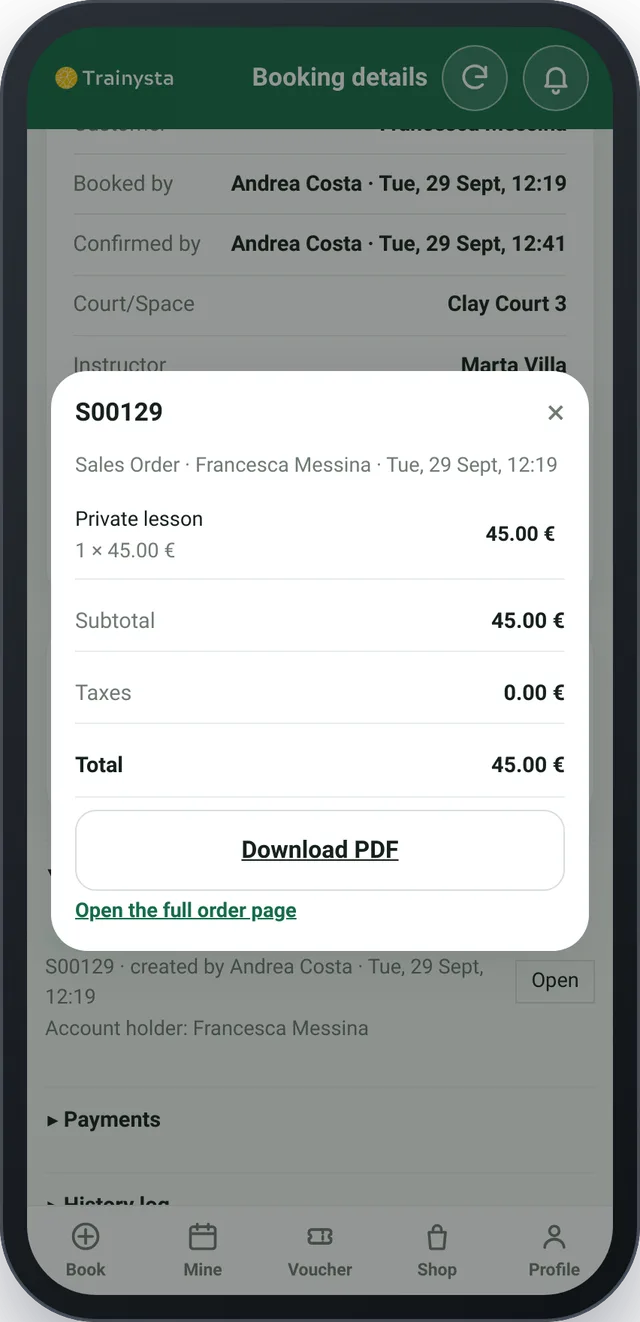
Every purchase generates a single order, linked to the booking. The member views it in the app with lines and totals and can download the PDF.
A front desk that also works on WhatsApp
Many requests always arrive in the same way:
“How much does it cost?”
“Do you have a free court?”
“How do I sign up?”
“I'd like to have a trial.”
“I'm looking for someone to play with.”
Trainysta can automatically handle the first requests received on WhatsApp. The assistant can provide information on:
- opening hours
- rates
- courses
- court availability
- how to register
When a person is needed, the request is passed to the staff.
WhatsApp answers.
Your staff decides.
The assistant does not change bookings on behalf of the customer. When a request needs human intervention, it becomes a task for the staff. It could be:
- a trial lesson
- a registration request
- a search for a playing partner
- a callback request
- an administrative matter
- a payment
- a certificate
The staff can take it on, decline it or pass it to the front office.
WhatsApp stops being a chat to check all the time and becomes part of the workflow.
Communications go out on their own
Trainysta can automatically send notifications to customers, instructors and managers.
To customers
Confirmations, reminders, changes and cancellations of bookings.
To instructors
New bookings, changes, cancellations and the daily schedule.
To the manager
Summaries and alerts about club activity.
Fewer messages to write by hand.
Fewer oversights.
More information at the right time.
How Trainysta changes your club
| Before Trainysta | With Trainysta |
|---|---|
| Excel to keep track of information. | Member records and bookings in a single system |
| WhatsApp to handle requests. | The first requests get an automatic reply, then go to the staff |
| A calendar for bookings. | Court planner and bookings from the app |
| Separate folders for certificates and documents. | Certificates and documents linked to the member |
| Manual checks to find out who has paid. | Tracked payments and a takings report |
| Phone calls to organise courts, lessons and instructors. | The customer books on their own, the staff handles the exceptions |
Everything connected.
For those who keep the club running every day
Whether you are a manager, coach, instructor or receptionist: Trainysta is your right hand to put things in order, automate repetitive tasks and save time every day.
Your work is irreplaceable.
But it does not have to be so complicated.
More autonomy for customers. More control for your team.
Customers can book, pay, manage their membership and review their activities. The staff can step in when needed. The manager stays in control of the whole club.
Trainysta does not remove the relationship with the customer.
It removes the pointless work around it.
Less time managing the software. More time managing your club.
Trainysta was created to simplify the daily work of managers, instructors and front office. One system to coordinate people, activities and information.
You can get started in a few minutes
Sign up
Fill in the form with the club name, email and password, then confirm your email.
The system prepares your club
A new, independent installation is created automatically, ready to use.
Set up and go
Add courts, services and instructors and open bookings to your members.
Frequently asked questions
Do I need to install anything?
Members use the app on their phone. The staff works from the back office in the browser.
Who can do what in my staff?
Reception, instructors and managers have different permissions: everyone sees what they need.
Does the WhatsApp assistant book on behalf of customers?
No. It gives information and collects requests that go to the staff. Bookings are made in the app.
How can customers pay?
By card, e-wallet, prepaid packs, cash or pay later when enabled.
How do I register my club?
With the Sign up button: fill in the form, confirm your email and the system prepares your club.